Eruv Settings
Eruv Settings is where you manage your eruv page content, signup options, and default message templates.
Main tabs
The page is organized into three top-level tabs:
SettingsPage TabsMessage Templates
Settings
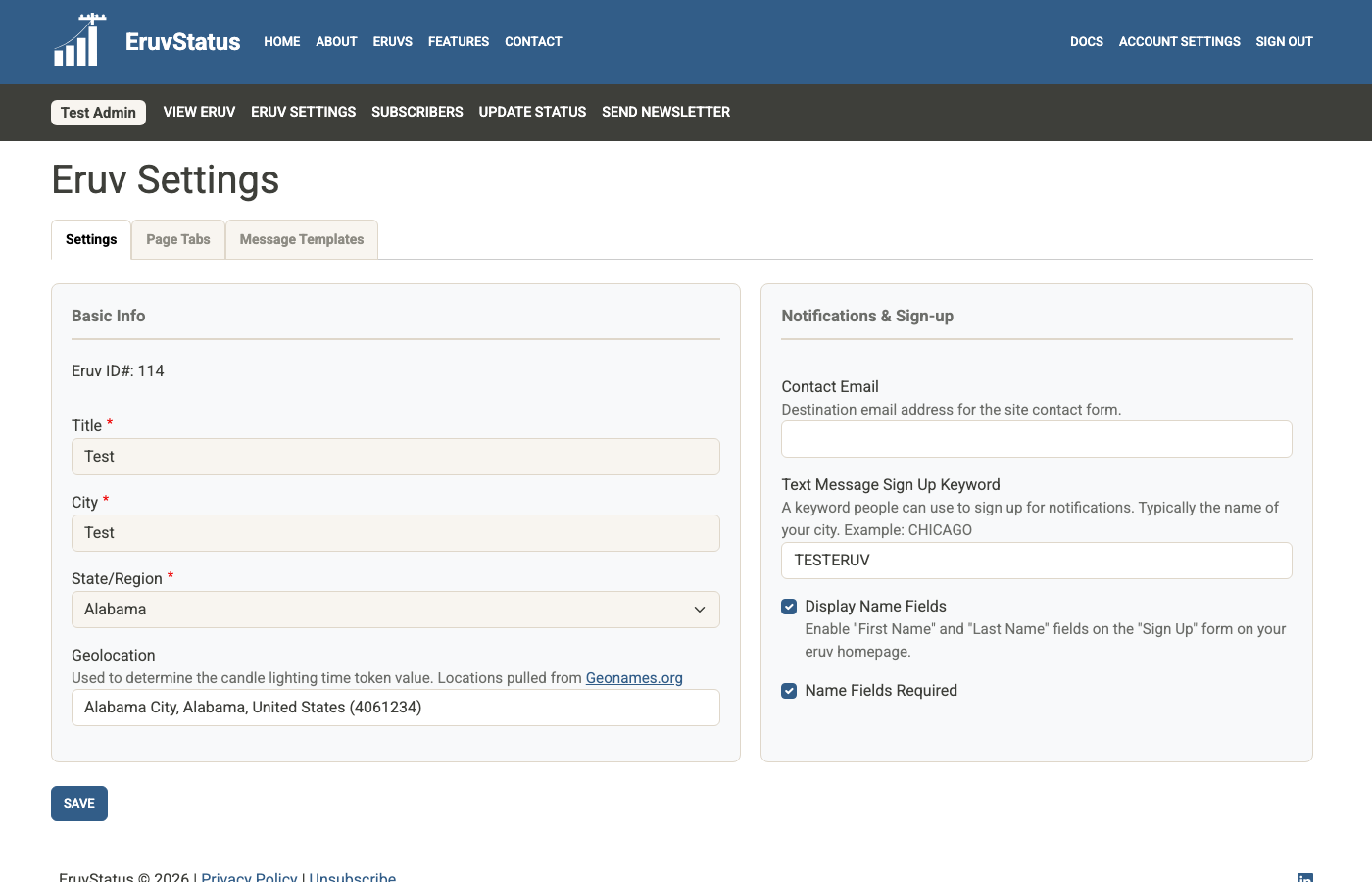
The Settings tab includes your eruv’s basic information plus signup and contact options.
Basic Info
Some fields are locked because they should rarely change. If you need a locked field updated, contact info@eruvstat.us.
Your geolocation matters because EruvStatus uses it for tokens such as:
[candles][havdalah][parsha]
Notifications and sign-up
Important options here include:
- whether to show
First NameandLast Nameon the public signup form - whether those name fields are required
- the contact email used for local eruv contact inquiries
- your
Text Message Sign Up Keyword
People can subscribe to SMS updates by texting your keyword to your eruv’s text message number. Because keywords must be unique across the site, save carefully and choose something specific to your community.
The sending phone number itself may be hidden for eruv_admin users. If it needs to be changed, contact EruvStatus support.
Page Tabs
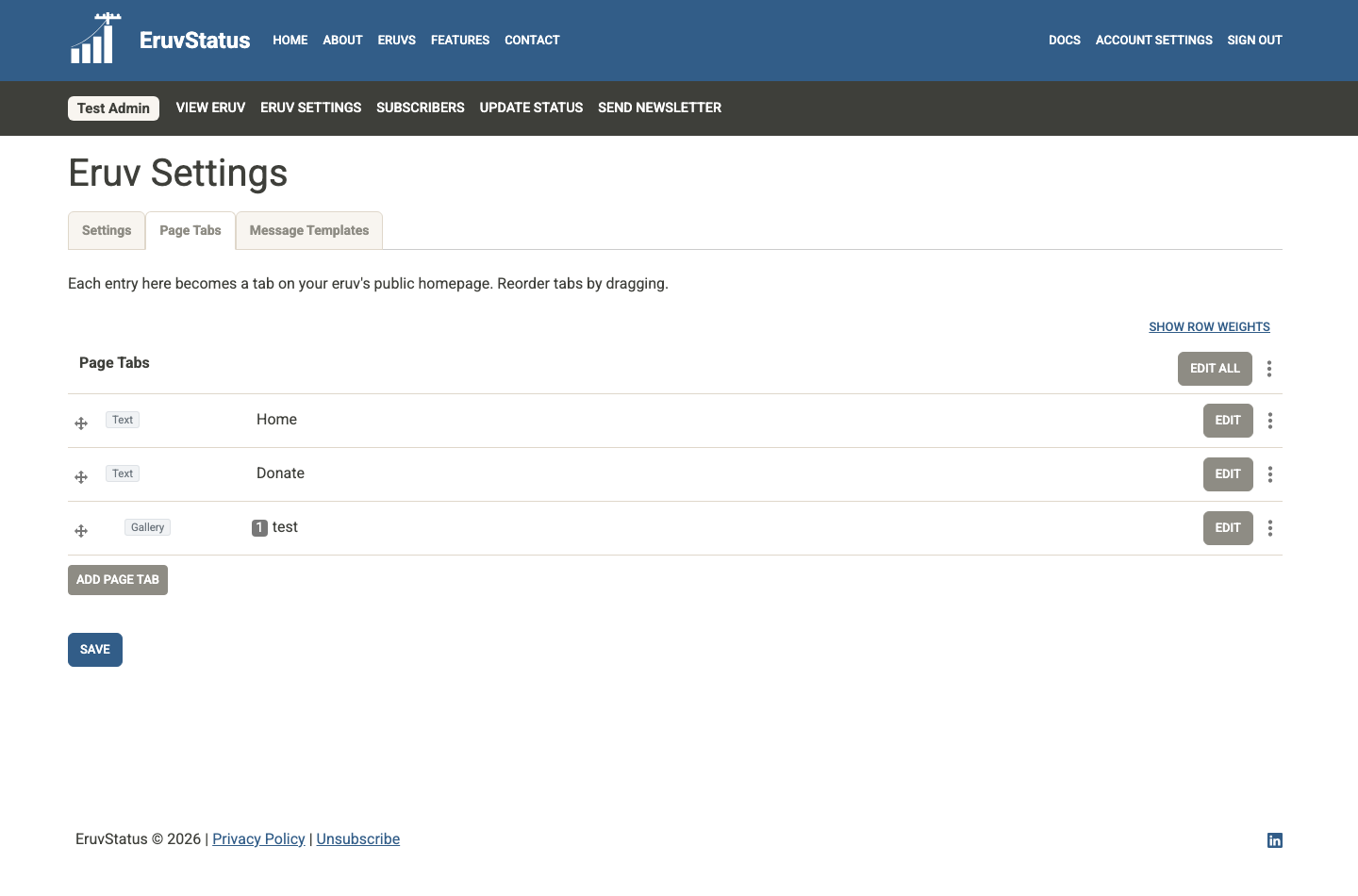
The Page Tabs tab controls the content shown on your public eruv page.
You can add and reorder tabs here. After making changes, click Save.
Common tab types
Text
Use this for most content:
- rich text
- images
- links
- embedded content
- custom HTML snippets
This is also the easiest place to add a donation widget from a third-party platform.
Gallery
Use this for multiple photos with captions.
Google Map
Use this to display a Google My Map on your eruv page. The key value is the map ID from your Google My Map URL.
Message Templates
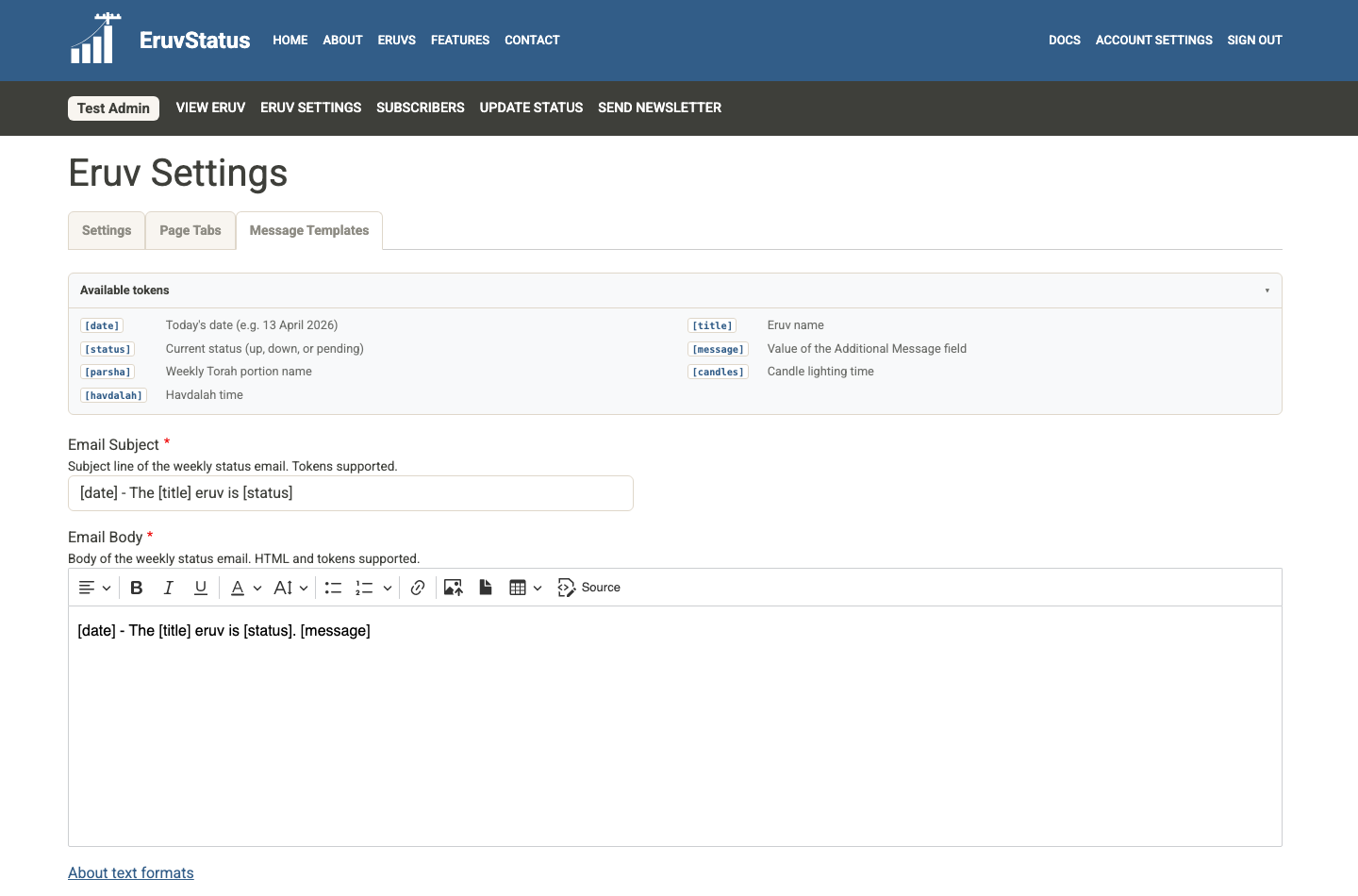
The Message Templates tab stores the default content used when you create a new status update.
The main fields are:
Email SubjectEmail BodyText Message
These templates support tokens:
[date][title][status][message][candles][havdalah][parsha]
If you are happy with the default wording, you can leave these fields alone. If your community prefers a different format, edit them here once and future status updates will start with those defaults.