Advanced Tasks
This page covers a few optional features that some eruv admins use.
SMS keyword signup
If you set a Text Message Sign Up Keyword in Eruv Settings, people can subscribe by texting that keyword to your eruv’s SMS number.
Example:
- keyword:
CHICAGO - action: text
CHICAGOto your eruv text message number
If someone texts the keyword again and is already subscribed, the system will not create a duplicate subscription.
Standard SMS stop words such as STOP will unsubscribe the phone number.
Add a donation tab
If you use a donation platform such as Donorbox, Givebutter, Zeffy, or PayPal, you can add its embed code to your eruv page.
To do that:
- Copy the embed code from your donation platform.
- Open
Eruv Settings. - Go to
Page Tabs. - Add a
Texttab. - Paste the embed code into the editor’s HTML/source mode.
- Save the eruv.
Add Update Status to your phone
On the Update Status form, EruvStatus may offer to add the form to your phone's home screen. The installed shortcut opens the authenticated form in its own app-style window.
On Android, select Install app and confirm the browser prompt.
On iPhone or iPad:
- Open the
Update Statusform in Safari. - Tap the Share button.
- Choose
Add to Home Screen. - Tap
Add.
The shortcut uses your normal EruvStatus login. If your session expires, sign in again and Drupal will return you to the update form. Status forms and submitted information are never stored for offline use.
Embed the current status on another website
If you want to show your current eruv status on a synagogue or community website, use the iframe code below. The iframe keeps the EruvStatus design isolated so the other website's fonts, colors, and layout rules cannot change the status card.
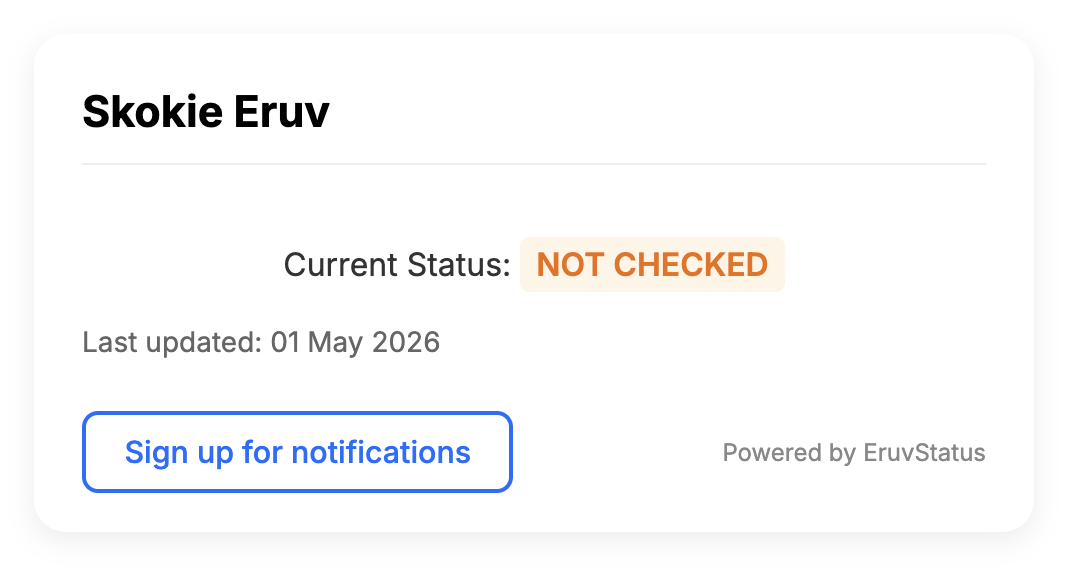
You can find your eruv ID on the Eruv Settings page under Basic Info.
The new iframe URL is https://eruvstat.us/embed/v2/{ID}. Replace {ID} with your eruv ID:
<iframe
  src="https://eruvstat.us/embed/v2/{ID}"
  title="Current eruv status"
  loading="lazy"
  style="display: block; width: 100%; max-width: 528px; height: 420px; border: 0;"
></iframe>
Add that code to the page on your external website where you want the current status to appear. You can adjust max-width to control its maximum width, but keep the height at 420px so an Additional Message has enough room.
If the page is being displayed from a local HTML file, this iframe URL is supported in current Chrome- and Edge-based browsers. Keep the https://eruvstat.us/embed/v2/{ID} URL unchanged; do not convert it to a local file:// URL.
Existing JavaScript embeds
The older JavaScript snippet that loads https://eruvstat.us/embed/{ID} remains supported. That legacy URL now returns an iframe compatibility wrapper, so existing installations receive the isolated design without needing an immediate update. The legacy URL also works when the host page is a local HTML file. Use https://eruvstat.us/embed/v2/{ID} for all new iframe installations.
If you need JSON data instead of an embeddable HTML snippet, see JSON API.
If you need help with setup, contact info@eruvstat.us.