Eruv Settings
Eruv Settings is where you manage your eruv page content, signup options, and default message templates.
Main tabs
The page is organized into three top-level tabs:
SettingsPage TabsMessage Templates
Settings
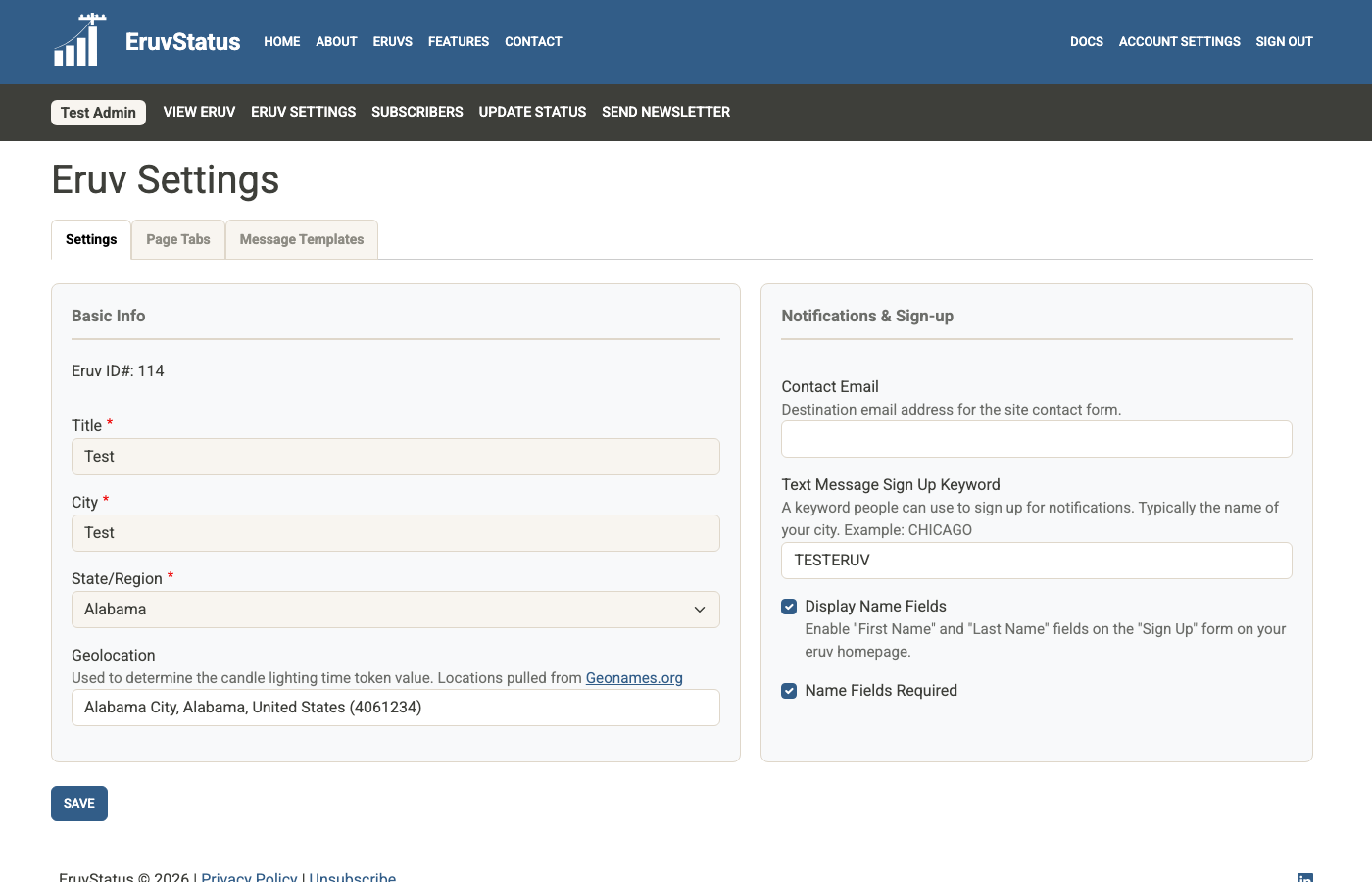
The Settings tab includes your eruv’s basic information, advanced integration settings, and signup/contact options.
Basic Info
Some fields are locked because they should rarely change. If you need a locked field updated, contact info@eruvstat.us.
Your geolocation matters because EruvStatus uses it for tokens such as:
[candles][havdalah][parsha]
Advanced Settings
This section contains settings that are used less often:
Text Message Sign Up KeywordStatus Update API Token
The API token is used by remote third-party clients that post status updates through the API. If you need to replace it, check Generate new API token on save and save the form.
Notifications and sign-up
This section combines public signup settings with internal notification settings.
Public signup options
Use these fields to control what subscribers see on the public signup form:
- whether
First NameandLast Nameare shown - whether those name fields are required
- the contact email used for local eruv contact inquiries
People can subscribe to SMS updates by texting your keyword to your eruv’s text message number. Because keywords must be unique across the site, save carefully and choose something specific to your community.
Weekly reminder options
These fields control the Friday reminder email sent to your eruv admin:
Weekly Status Reminder Emailturns the reminder on or offReminder Timesets the Friday send time
If Weekly Status Reminder Email is enabled, EruvStatus sends a reminder every Friday only if no status update has been submitted yet that week.
Page Tabs
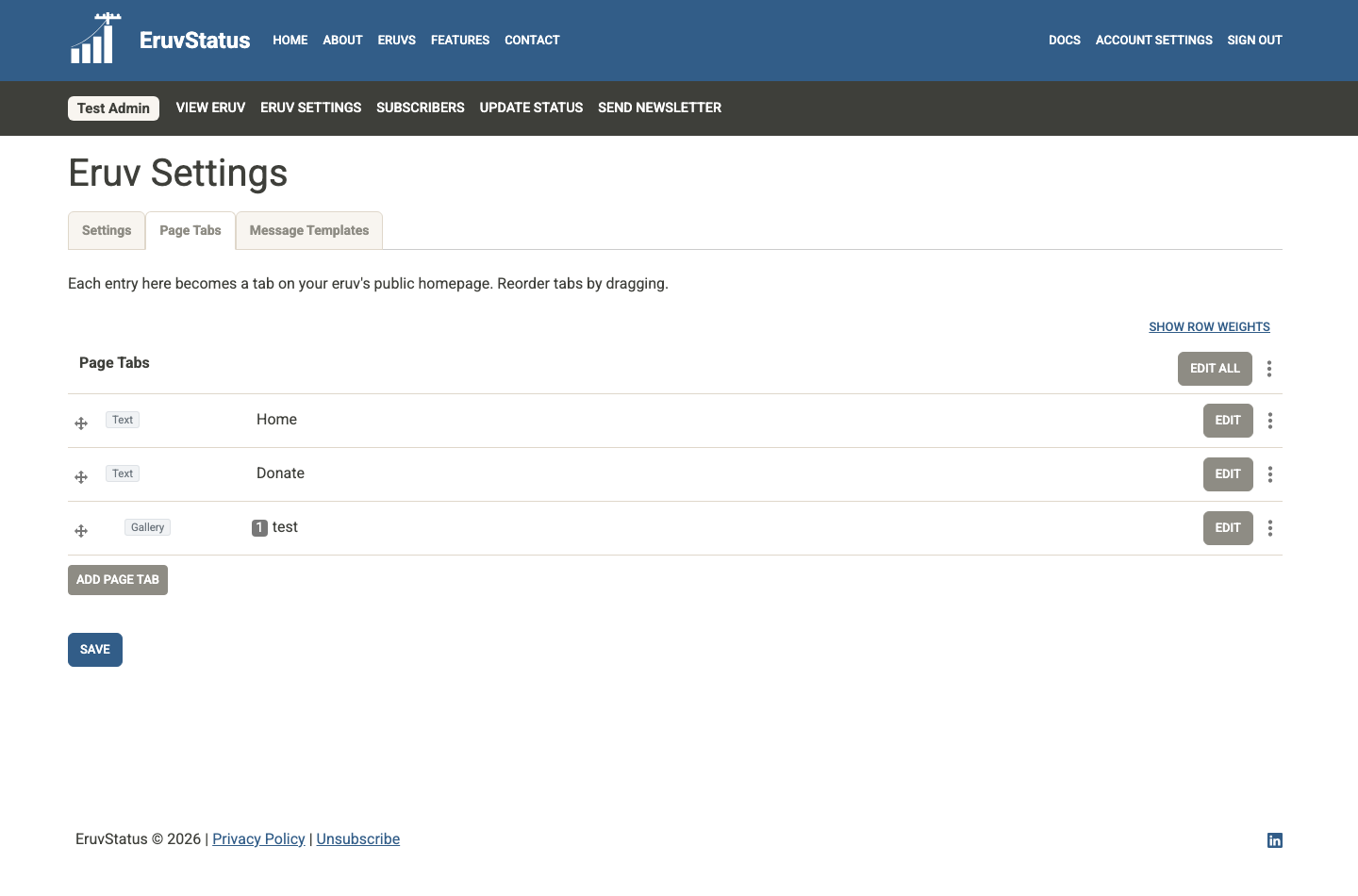
The Page Tabs tab controls the content shown on your public eruv page.
Choose a tab to open its editor. Only one tab editor is open at a time.
You can add and reorder tabs here:
- drag a tab to a new position with a mouse or pointer
- focus a tab and use
Alt+ an arrow key to reorder it with the keyboard - use
Add Page Tabto create another tab; the new tab opens automatically
After making changes, click Save.
Common tab types
Text
Use this for most content:
- rich text
- images
- links
- embedded content
- custom HTML snippets
This is also the easiest place to add a donation widget from a third-party platform.
Gallery
Use this for multiple photos with captions. On the public eruv page, visitors can select a photo to open a larger lightbox and move through the gallery with its controls, arrow keys, or a mobile swipe.
Google Map
Use this to display a Google My Map on your eruv page. The key value is the map ID from your Google My Map URL.
Message Templates
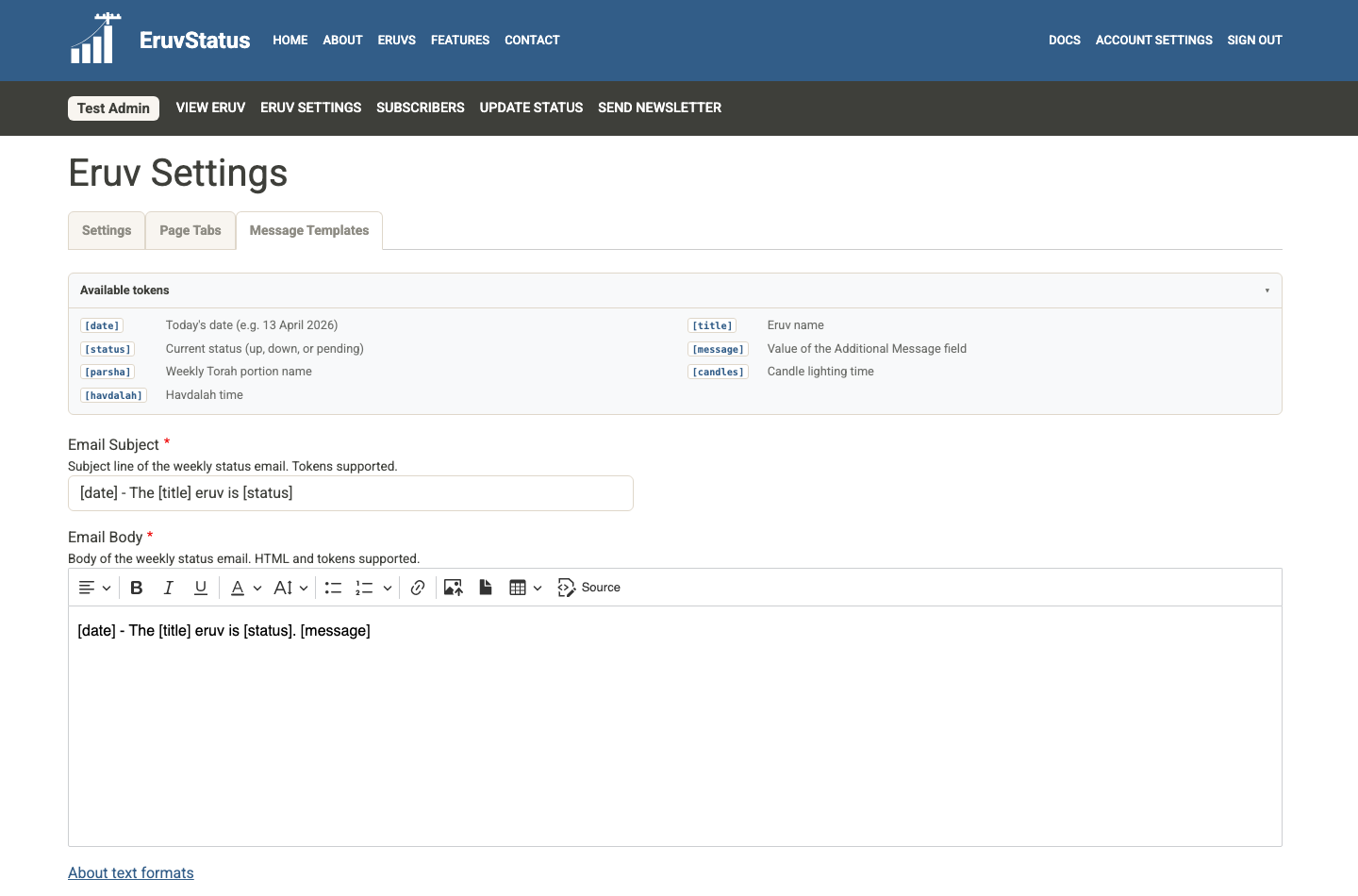
The Message Templates tab stores the default content used when you create a new status update.
The main fields are:
Email SubjectEmail BodyText Message
These templates support tokens:
[date][title][status][message][candles][havdalah][parsha]
Use View available tokens beside a token-enabled field to open its token reference. Select Close when you are finished.
If you are happy with the default wording, you can leave these fields alone. If your community prefers a different format, edit them here once and future status updates will start with those defaults.